Photo by Gorilla ROI Data Connector on Unsplash
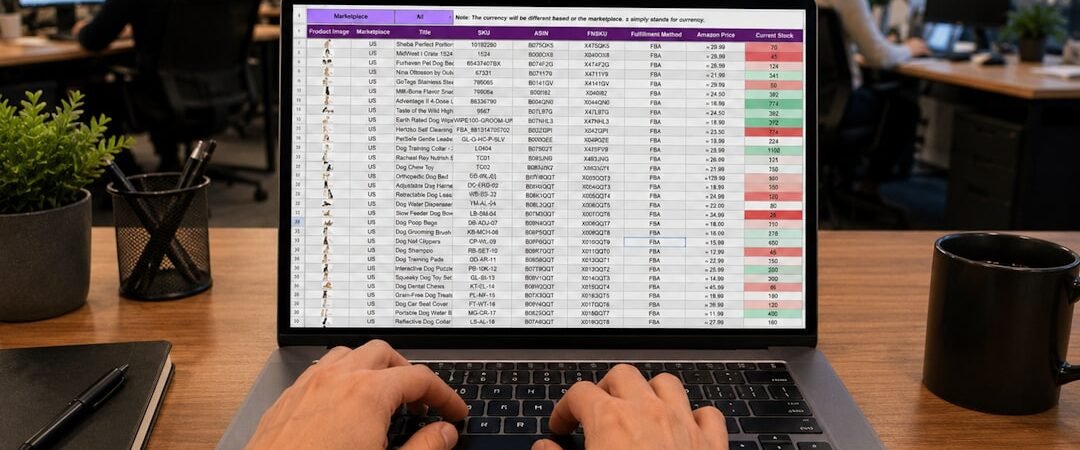
A colleague in Seoul sends you a CSV. You open it and the name column reads �̸�. Or the reverse happens: you send a perfectly normal spreadsheet to a Korean office and someone writes back to say the Korean columns are empty boxes on their end.
Almost every guide you will find tells you to “change the encoding to UTF-8,” which is correct roughly half the time and actively unhelpful the other half. The reason is that Korean text breaks in two distinct ways, depending on which direction the mismatch between UTF-8 and CP949 runs, and the two have opposite fixes. I spent an afternoon reproducing both on a Korean-locale Windows machine, and the useful part turned out to be telling them apart quickly.
A 30-second primer on why Korea specifically
Before Unicode won, Korea standardized on an encoding called EUC-KR, later extended by Microsoft as CP949. Korean Windows still uses CP949 as its ANSI code page today. On the machine I tested, .NET reports the system default as ks_c_5601-1987, which is the same thing under an older name.
This matters because a lot of software does not ask what encoding a text file is in. There is no reliable header to read. The program simply assumes, and on Korean Windows that assumption is CP949 while almost everywhere else it is now UTF-8. Two machines, two different defaults, same file. That is the entire problem.
Failure mode one: the file arrives and looks like garbage
This is the loud version, and the easier of the two. You open a file from a Korean sender and get either a wall of symbols or an outright error. In Python the error names the culprit directly:
UnicodeDecodeError: 'utf-8' codec can't decode byte 0xc7
in position 0: invalid continuation byte
Read that message carefully, because it tells you which way round the mismatch is. It says the UTF-8 codec failed, which means your program assumed UTF-8 and the file was not UTF-8. A file written on Korean Windows starts Korean text with bytes like 0xc7 0xd1. A UTF-8 file with the same word starts 0xed 0x95 0x9c. Different bytes entirely.
The fix is to tell your tool the truth about the file rather than converting anything:
open('from_seoul.csv', encoding='cp949')In Excel, the equivalent is to use Data then Get Data then From Text/CSV, and pick “Korean (Windows)” in the File Origin dropdown rather than double-clicking the file. Double-clicking is what produces the garbage, because it skips the dialog where you would have told Excel what it is looking at.
The mirror image of this error is worth memorizing too, because it is the one you get when the situation is reversed:
UnicodeDecodeError: 'cp949' codec can't decode byte 0xec
in position 0: illegal multibyte sequence
Same class of problem, opposite direction: here a Korean-locale machine assumed CP949 and got handed a UTF-8 file. The codec named in the message is always the assumption, never the file.
Photo by Eric Stoynov on Unsplash
Failure mode two: nothing looks wrong until someone else opens it
This one is quieter and does considerably more damage. Write a file on a Korean-locale machine without specifying an encoding, and it saves as CP949 with no warning at all. I tried it:
with open('out.txt', 'w') as f:
    f.write('한글 테스트')
# what actually landed on disk
b'\xc7\xd1\xb1\xdb \xc5\xd7\xbd\xba\xc6\xae'
No error. No warning. Reopen it on the same machine and the Korean text is perfectly readable, because the same wrong assumption is being applied consistently in both directions. The file only reveals itself as broken when it reaches a Linux server, a CI pipeline, a cloud function, or a colleague outside Korea, all of which will read it as UTF-8 and fail.
If you control the machine producing the files, the cleanest fix is to stop relying on the locale default entirely. Python has had a UTF-8 mode since 3.7 that forces reads, writes and console output to UTF-8 regardless of system locale:
set PYTHONUTF8=1
# or per invocation
python -X utf8 script.py
There is a genuinely useful deadline attached to this. PEP 686 makes UTF-8 mode the default, its status is Final, and it lands in Python 3.15, which is scheduled for October 1, 2026. After that, a Python script writing text on Korean Windows produces UTF-8 by default like everywhere else. Teams pinned to 3.10 or 3.11 will keep hitting this for years, but the end of it is now dated.

Photo by Cht Gsml on Unsplash
The Excel wrinkle that catches people who did everything right
There is a third situation that looks like failure mode one but is not. You correctly save a file as UTF-8, send it to a Korean office, and Excel there still shows garbage. The file is fine. Excel is the problem.
Excel on Windows historically only recognizes a UTF-8 CSV if the file starts with a byte order mark, three bytes that announce the encoding. The difference is visible if you look at the raw start of two otherwise identical files:
| File | First bytes | Excel double-click result |
|---|---|---|
| UTF-8, no BOM | ec 9d b4 |
Korean shows as garbage |
| UTF-8 with BOM | ef bb bf then ec 9d b4 |
Korean shows correctly |
In Python the encoding name for this is utf-8-sig, which writes the marker on the way out and strips it on the way in. If you routinely hand CSVs to people who open them by double-clicking, and most people do, writing with utf-8-sig removes an entire category of support email.
What I would actually check, in order
Having now done this the slow way, the sequence that would have saved me the afternoon is short. First, decide which failure mode you are in: a visible error or visible garbage on receipt is mode one, while “fine here, broken there” is mode two. Second, if it is mode one, read the codec named in the error message and remember that it names the assumption rather than the file. Third, if it is mode two, go and look at the machine that wrote the file instead of the code that reads it.
The part that surprised me was how asymmetric the two are in cost. Mode one is loud, immediate, and gets fixed in minutes because someone is staring at an error. Mode two ships silently into a data pipeline and surfaces a week later in a place that has nothing obviously to do with encoding. If you work regularly with Korean colleagues or Korean data, the second one is worth setting up against in advance, which in practice means forcing UTF-8 at the point of writing and not trusting whatever the local machine felt like doing.
❓ FAQ: Frequently Asked Questions
What is CP949 and how is it different from EUC-KR?
EUC-KR is the older Korean standard. CP949 is Microsoft’s extension of it, covering additional Korean syllables EUC-KR left out. In practice most tools treat them as interchangeable for reading, and Python accepts either name, though cp949 is the safer choice on Windows files.
How can I tell what encoding a file actually is?
Look at the first bytes. Korean text in UTF-8 starts in the 0xe… range, while CP949 Korean starts around 0xb… to 0xc…. A leading ef bb bf means UTF-8 with a byte order mark. Tools like chardet in Python will guess for you, but they are guessing too, and they get short files wrong fairly often.
Does this only affect Python?
No. Python just reports it clearly. The same mismatch hits Java, PHP, R, Excel, Notepad, and any command line tool that reads text, because the underlying issue is the operating system’s default code page rather than any one language.
Will Python 3.15 fix this for existing files?
No. It changes what Python assumes going forward, so newly written files will be UTF-8 by default. Files already saved as CP949 stay CP949, and you will still need to read those with an explicit encoding.
Is there a way to convert a whole folder at once?
Yes, iconv handles it on the command line, and a short Python loop that reads with cp949 and writes with utf-8 works too. Keep the originals until you have spot-checked the output, since a file that was never CP949 in the first place will be mangled by the conversion.
Reproductions in this article were run on Windows 11 with a Korean system locale and Python 3.10.6, checked in September 2026. Excel’s BOM behavior varies by version; recent Microsoft 365 builds handle UTF-8 CSVs better than older ones, so treat the double-click column as a worst case rather than a guarantee. The PEP 686 status and the Python 3.15 release date are from python.org.