
Photo by Justin Morgan on Unsplash
Almost every “best free AI tools” list you can find right now is describing limits that no longer exist. The free tiers moved in August 2026, and they moved a lot. If you read a roundup written in July and concluded that free AI was too rate-limited to run a business on, that conclusion is out of date.
This post is not a list of ten tools. It is a check of what the free tiers actually hand you as of 19 August 2026, where the walls really are, and which jobs still need a paid seat. Every number below is dated and sourced, because these numbers expire fast.
What Changed on 6 August 2026
OpenAI removed the daily message cap for free ChatGPT accounts. PCWorld and others reported the announcement on 6 August, with the change rolling out from the week of 10 August. Free and Go accounts also moved onto GPT-5.6 Luna as the default model, replacing GPT-5.5 Instant.
Before that, free users got somewhere around 10 messages on the flagship model per five-hour window before being dropped to a lighter one. That was the single biggest reason small businesses gave up on the free tier. It is gone.
The Free Tiers, Side by Side
Treat this as a snapshot with an expiry date rather than a permanent ranking. Google in particular does not publish hard figures for the Gemini app, so that row reflects what independent testers report rather than an official number.
| Free plan | Text limit | Default model | Where it stops |
|---|---|---|---|
| ChatGPT Free | No cap on text chats since August 2026 | GPT-5.6 Luna | Images, files and voice still capped |
| Claude Free | Roughly 15 to 40 messages per 5 hours, varying with message length | Current Claude free model | Long documents burn the allowance fastest |
| Gemini Free | No published figure; testers report throttling on the best model after roughly 50 requests a day | Gemini 3.1 Flash | Flash is fast but weaker on long reasoning |

Photo by SpotOn on Unsplash
You can now chat with ChatGPT forever and still be unable to upload the fourth PDF before tomorrow.
The Limit That Actually Bites
Message caps get the headlines. For a business, the constraint that matters more is almost always file uploads, and that one did not change.
Most real work arrives as a file. A supplier quote, a spreadsheet of last quarter’s sales, a scanned invoice, a contract to check. Free tiers across all three products limit how many of those you can push through in a day. You can now chat with ChatGPT forever and still be unable to upload the fourth PDF before tomorrow.
So the honest test for whether you need to pay is not “how much do I chat”. It is how many documents cross my desk in a day. Under a handful, free works. Above that, the free tier will stop you regardless of which product you picked.
Where Free Genuinely Falls Short
Three gaps are worth knowing before you build a routine on a free account.
No data-handling guarantees
Paid business plans are where you find contractual terms about your inputs not being used for training. Free tiers generally do not offer that, and for customer data that is a real decision rather than a technicality. The FTC privacy guidance for businesses is a reasonable starting point for what you are responsible for.
Nothing is shared
Free accounts are single-player. There is no shared workspace, no common prompt library, no admin view. The moment a second person is involved, everyone rebuilds the same prompts privately and quality drifts.
It can change next month
The August change proved the point in the friendly direction. It can move the other way just as fast. Anything you would be genuinely stuck without should not sit on a free tier.
A Practical Way to Use This
Rather than adopting ten tools, pick by what stops you. One free account usually covers more than people expect once the text cap is gone.
| If your bottleneck is | Free tier handles it? | Notes |
|---|---|---|
| Writing emails, listings, replies | Yes, comfortably | This is what the cap removal unlocked |
| Reading and summarising documents | Only in small volume | Upload limits, not message limits, are the ceiling |
| Research across sources | Partly | Deep multi-step research stays paid |
| Anything touching customer data | Not advisable | No data-handling terms on free plans |
| Two or more people working together | No | No shared workspace on free |
The prompt you write matters more than the tool you pick, and that has not changed with any of this. If your outputs are mediocre on a free tier they will be mediocre on a paid one. How to Write Good AI Prompts covers the part that actually moves quality.
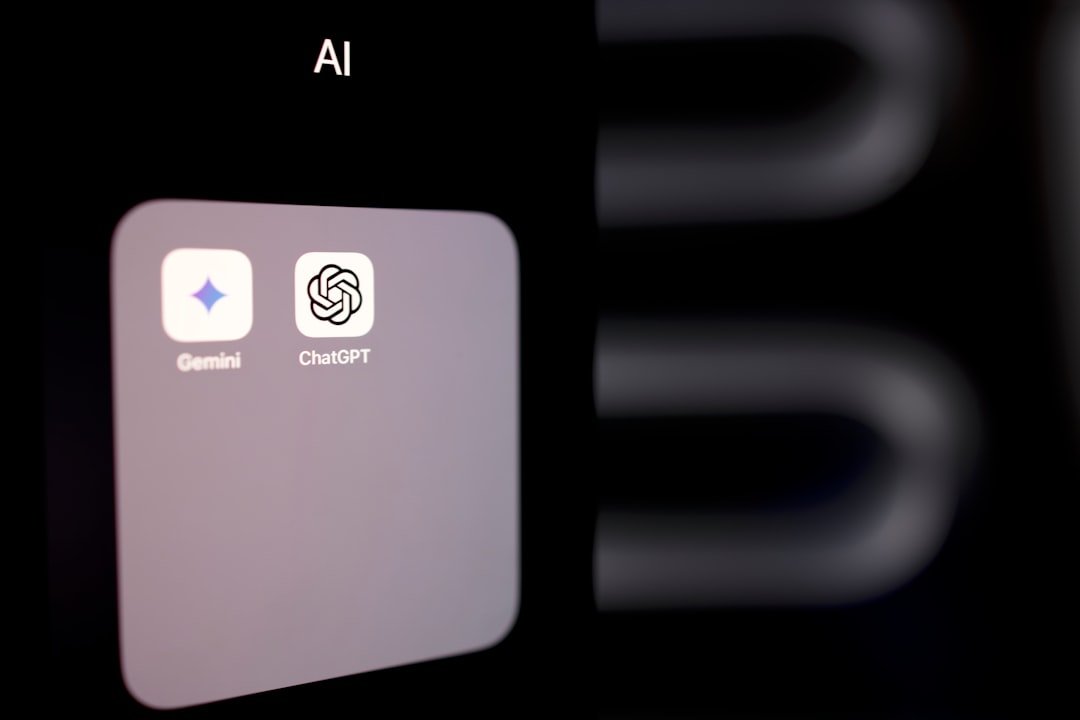
Photo by Solen Feyissa on Unsplash
Picking Between the Three
They are close enough now that the honest answer is that any of them will do for most small-business text work. If you want a tiebreaker: ChatGPT for volume of plain writing, Claude for careful work on longer text, Gemini if you already live in Google Workspace. A fuller comparison sits in Claude AI vs ChatGPT.
What is not worth doing is running all three. Splitting across products means none of them accumulate your context, and you spend the saved money in time instead.
FAQ: Frequently Asked Questions
Is ChatGPT really unlimited on the free plan now?
For text chats, yes, since the rollout starting the week of 10 August 2026. Image generation, file uploads and voice still have caps, and the heavier research and agent features remain on paid plans.
Which free AI tool is best for a small business?
Whichever one you will actually open. The gap between them is now smaller than the gap between using one consistently and using three occasionally. Start with the one attached to the email and documents you already use.
Is it safe to put customer information into a free AI tool?
Treat that as a no. The contractual terms about how your inputs are handled generally live on business plans. If customer data has to be involved, that is the point where paying stops being optional.
How long will these free limits last?
Unknown, and that is the point. These limits changed materially in a single week this month. Check the provider pricing page before making a decision that depends on a specific number, including the ones in this post.
Limits above reflect published reporting and provider documentation as of 19 August 2026. Free-tier terms change frequently and without notice; verify against the official pricing pages before relying on any figure here.