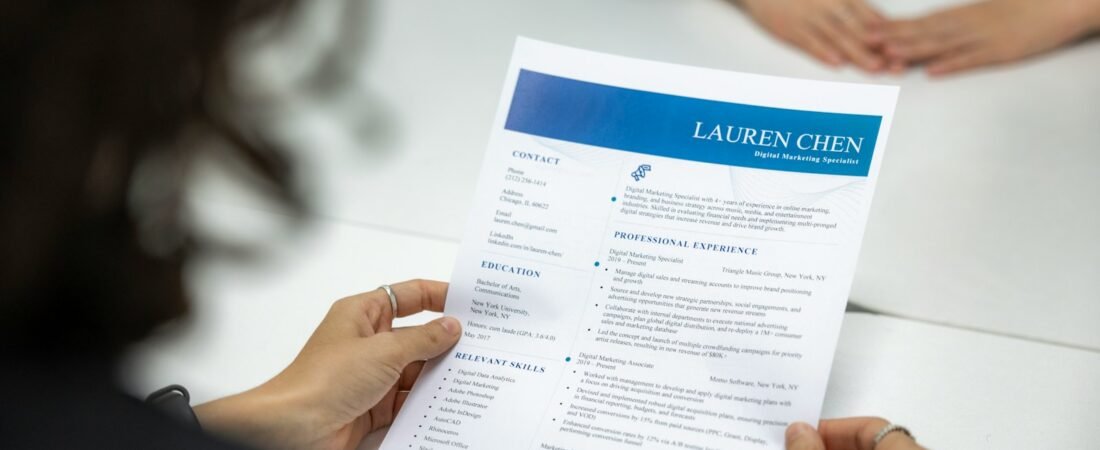
Photo by Resume Genius on Unsplash
Free AI resume builders fail in two specific ways, and neither is the one people worry about. The worry is that the writing will be obviously machine-made. The actual problems are that the template can stop your resume being read at all, and that the writing is competent in a way that makes you interchangeable.
Both are fixable. Neither is fixed by choosing a different builder.
Failure One: The Template Breaks the Parser
Most applications pass through an applicant tracking system before a person sees them. That software reads a document as a single stream of text, top to bottom and left to right.
Which means a two-column layout, the one nearly every AI builder offers because it looks designed, gets read straight across the page. Your job title on the left and a skills tag on the right become one line of nonsense. Indeed’s own guidance on ATS-friendly resumes is blunt about it: simple formatting, clear headings, no graphics or tables.
Failure Two: Fluent and Forgettable
The second problem is subtler because the output is not bad. It is smooth, grammatical, appropriately keyworded, and indistinguishable from the smooth, grammatical, appropriately keyworded resume of everyone else who used the same tool on the same job posting.
Generated bullets converge on the same shapes: led cross-functional initiatives, drove operational efficiency, spearheaded strategic improvements. Nothing there is false. Nothing there is yours either, and a recruiter reading forty of these in an afternoon is looking for the one that says something specific.
| Generated | Specific |
|---|---|
| Improved team productivity through process optimisation | Cut our release checklist from 40 steps to 12; deploys went weekly to daily |
| Managed key stakeholder relationships | Ran the monthly review with three client teams, took over after the account nearly churned |
| Leveraged data to drive decisions | Found the refund spike came from one shipping partner, moved 60% of volume off them |
The right column cannot be generated, because the model does not know any of it. It can only be extracted from you, which is the actual work.

Photo by Resume Genius on Unsplash
The right column cannot be generated, because the model does not know any of it.
Using the Tool the Way Round That Works
Do not ask it to write your resume. Ask it to interrogate your experience, then write the result yourself.
- “Ask me ten questions about this role to find specifics worth putting on a resume.” Answer them badly, in fragments. The material is in the answers.
- “Here is my bullet. What is vague about it?” Critique is where these models are strongest and where the output cannot be generic, because it is about your text.
- “Here is the job description and my resume. What is it asking for that I have not addressed?” Genuinely useful, and it is comparison rather than composition.
The pattern is that generation produces average output while critique and extraction produce yours. That distinction holds well beyond resumes, and it is mostly a matter of how the request is framed, which is covered in How to Write Good AI Prompts.

Photo by Andrew Neel on Unsplash

Photo by Cytonn Photography on Unsplash
What to Check Before You Send It
| Check | How |
|---|---|
| Does it survive as plain text? | Copy the PDF into a blank text file. If the order scrambles, the parser will scramble it too |
| Single column? | Sidebars are the most common cause of the above |
| Anything only in a header or footer? | Phone numbers there are frequently dropped entirely |
| Standard section headings? | “Experience”, not “Where I Have Made an Impact” |
| At least three numbers on the page? | Not vanity metrics, just anything concrete enough to be checkable |
So Which Free Builder
Largely beside the point. They produce similar output from similar templates, and the differences between them are smaller than the difference between a generated bullet and a specific one.
If you want a rule: pick whichever one offers a plain single-column template and exports a real PDF without a watermark. Then spend the time you saved comparing tools on answering the ten questions instead.
FAQ: Frequently Asked Questions
Will a recruiter know my resume was AI-written?
Often, though not from detection software. Generated bullets cluster around the same phrasing, so a recruiter reading many applications recognises the pattern by repetition rather than by any tell in a single document.
Do AI resume builders get past ATS?
Their keyword handling is usually fine. Their default templates are frequently the problem, because multi-column layouts and graphics parse badly. Choose the plainest template offered.
Is it dishonest to use AI on a resume?
Using it to phrase your real experience clearly is no different from asking a friend to read your draft. Using it to invent accomplishments is a different thing, and it tends to surface at interview when you cannot discuss the detail.
PDF or Word?
PDF unless the posting asks otherwise, and check that text can be selected in it. A PDF exported as an image parses as nothing at all.
General guidance for job seekers. Applicant tracking systems vary between employers and handle formatting differently; when a posting gives specific format instructions, follow those over any general advice here.